Tu música, sin sorpresas Your music, no surprises
Reproductor libre para tu música y YouTube Music. Sin anuncios, sin pagos, sin cuenta obligatoria y sin telemetría: nada sale de tu dispositivo sin que lo pidas. A free player for your music and YouTube Music. No ads, no payments, no account required and no telemetry: nothing leaves your device unless you ask.
Descargar KijiDownload Kiji¿Otro teléfono? Ver todas las versionesAnother phone? See all versions
Otras plataformas:Other platforms: Android (.apk) Windows Linux · próximamentecoming soon todas las versionesall versions
Instalar en Android, en 3 pasosInstall on Android in 3 steps
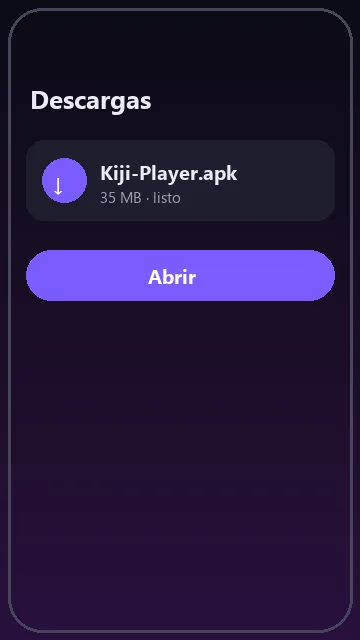 1 Toca «Descargar Kiji» y abre el archivo
.apk que bajó.
Tap “Download Kiji” and open the .apk file it downloaded.
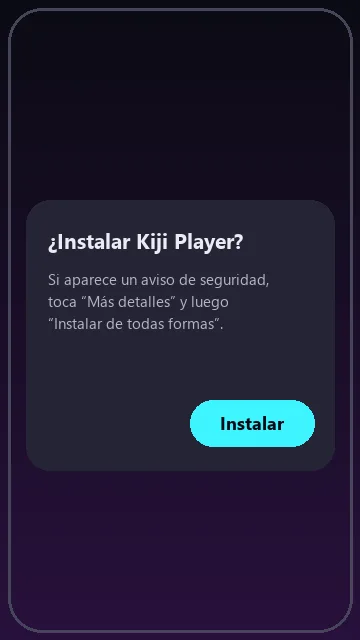 2 Permite instalar desde el navegador y toca «Instalar». Si aparece Play Protect, mira la pregunta de abajo.
Allow installs from your browser and tap “Install”. If Play Protect shows up, see the question below.
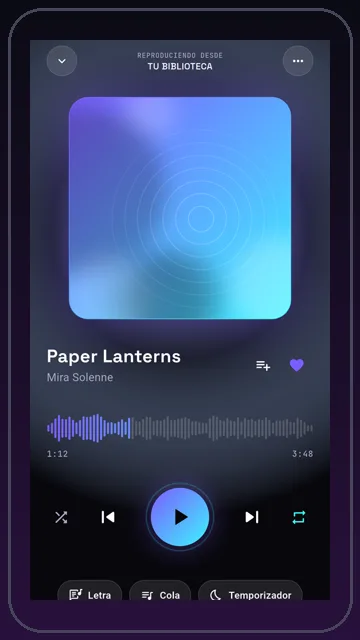 3 Abre Kiji y elige tu estilo. Listo: sin cuenta, sin anuncios.
Open Kiji and pick your style. Done: no account, no ads.
Preguntas frecuentesFAQ
¿Es seguro?Is it safe?
Sí. Kiji es software libre (GPL-3.0): todo el código está publicado y se compila en GitHub a la vista de todos. No tiene anuncios, ni rastreadores, ni analíticas. Cada versión se firma siempre con la misma clave, así Android solo acepta actualizaciones del mismo autor.
Yes. Kiji is free software (GPL-3.0): all the code is published and built on GitHub in the open. It has no ads, trackers or analytics. Every release is always signed with the same key, so Android only accepts updates from the same author.
Play Protect dice que la app es desconocidaPlay Protect says the app is unknown
Aparece con las apps que no vienen de Google Play. Toca «Más detalles» y luego «Instalar de todas formas». Kiji no está en Google Play porque no usa sus servicios ni sus pagos.
It shows up for apps that don't come from Google Play. Tap “More details” and then “Install anyway”. Kiji isn't on Google Play because it doesn't use its services or payments.
Windows muestra «Windows protegió tu PC»Windows shows “Windows protected your PC”
Es el aviso de SmartScreen para instaladores nuevos. Toca «Más información» y «Ejecutar de todas formas».
That's SmartScreen's warning for new installers. Click “More info” and “Run anyway”.
¿Se puede instalar en Windows con Scoop?Can I install it on Windows with Scoop?
Sí. Si usas Scoop, escribe en PowerShell:scoop bucket add kiji https://github.com/kijiplayer/scoop-kijiscoop install kiji/kiji-player
Para actualizar: scoop update kiji-player. Tus playlists y ajustes se quedan.
Yes. If you use Scoop, type in PowerShell:scoop bucket add kiji https://github.com/kijiplayer/scoop-kijiscoop install kiji/kiji-player
To update: scoop update kiji-player. Your playlists and settings stay.
También disponible enAlso available on
Además de esta página, Obtainium y Scoop, Kiji está en SourceForge e itch.io. También tiene su ficha en AlternativeTo:
Besides this page, Obtainium and Scoop, Kiji is on SourceForge and itch.io. It also has a page on AlternativeTo:


¿Cómo actualizo?How do I update?
Kiji te avisa cuando hay una versión nueva (lo puedes apagar). Descárgala desde aquí e instálala encima: tus playlists y ajustes se quedan. También puedes usar Obtainium con el enlace de GitHub.
Kiji lets you know when there's a new version (you can turn this off). Download it here and install it over the old one: your playlists and settings stay. You can also use Obtainium with the GitHub link.
¿Y en Linux?What about Linux?
Próximamente. La versión para Linux todavía no está lista; cuando lo esté, va a aparecer aquí y en la página de versiones.
Coming soon. The Linux version isn't ready yet; when it is, it will show up here and on the releases page.